

New 10 AI Prompts for Stylish Modern Women with Premium Fashion Photography in Industrial Warehouses
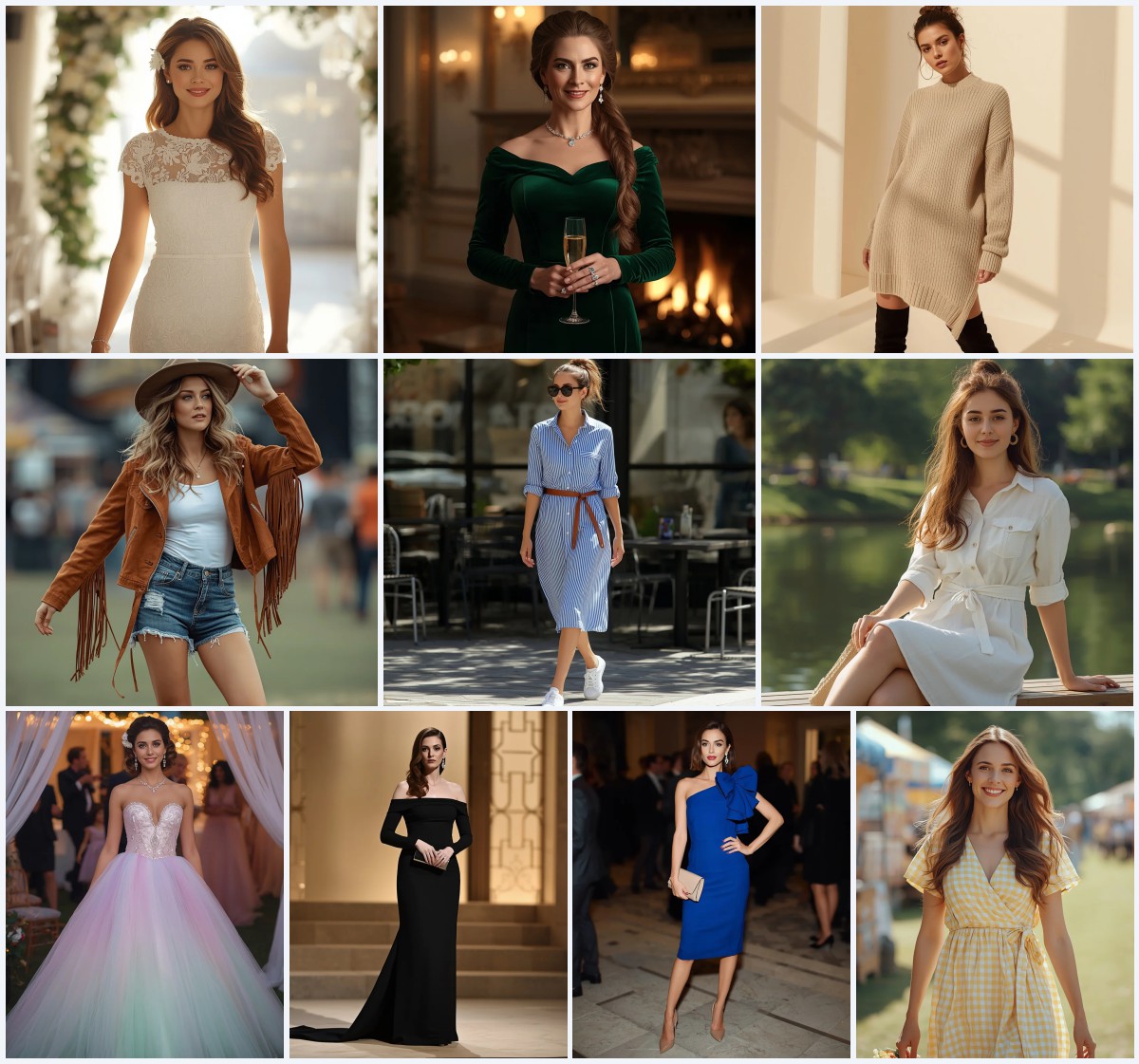
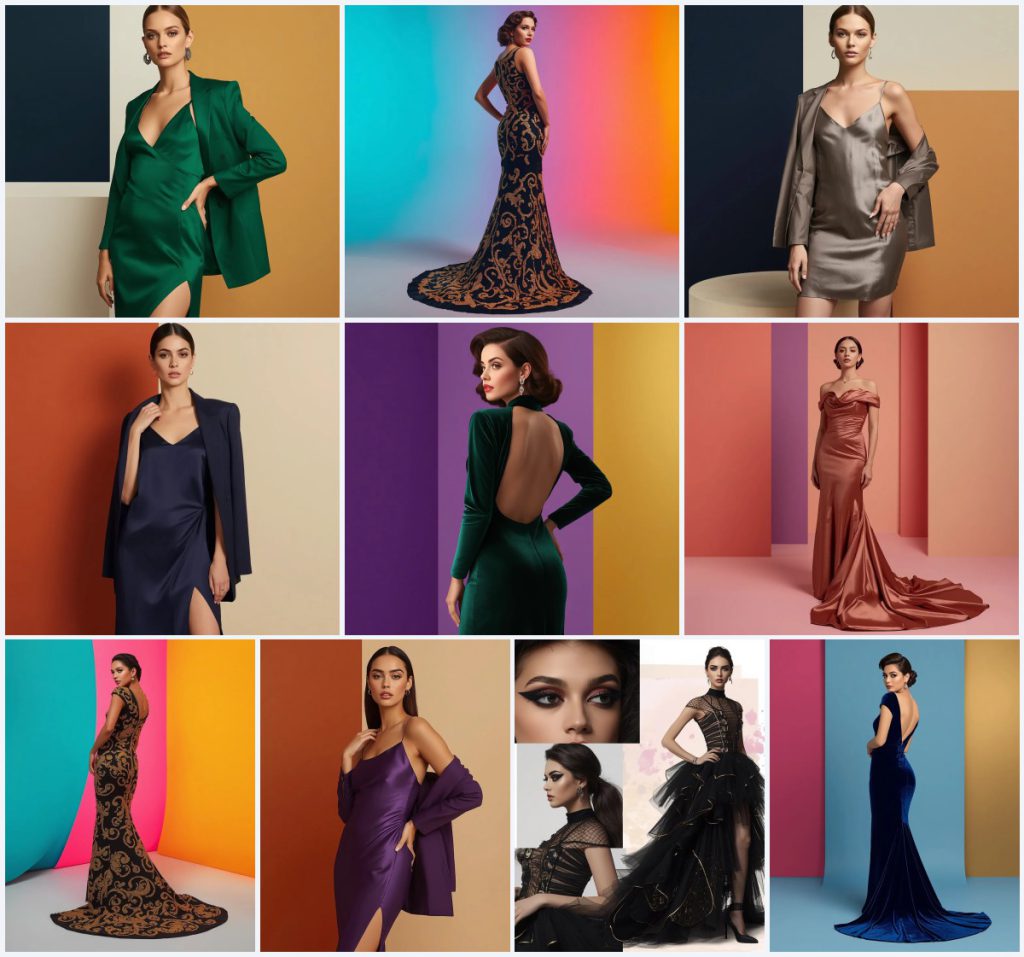
This collection brings together ten striking AI image prompts that place stylish modern women in premium fashion photography settings inspired by industrial warehouses. Each prompt features a confident female subject wearing a distinct luxury garment—from sleek silk slip dresses paired with structured blazers to iconic Hollywood glamour gowns—all captured against clean, multicolor backgrounds with sharp geometric blocks, gradients, or vertical color panels.
Throughout the set, the shared scene is a pristine, minimalist environment that mimics the polished concrete and open spaces of a high-end warehouse studio, transformed with vibrant color-blocking. The emphasis remains on high-end couture, 8k resolution, cinematic lighting, and ultra-realistic textures, with no text or watermarks to distract from the fashion narrative.
What this modern-warehouse fashion collection is asking for
The ten prompts in this collection each describe a beautiful woman in a specific luxury outfit, posed confidently or dramatically in front of a clean multicolor background. The garments range from sleek slip dresses in emerald, silver, navy, and violet to elaborate Hollywood gowns in velvet, satin, and heavily beaded silk. The backgrounds use sharp geometric blocks, smooth gradients, or vertical panels in vivid color combinations, creating a polished editorial look that fuses high fashion with an industrial-warehouse minimalism.
- A beautiful woman as the sole subject, looking confidently into the camera or striking a dramatic pose
- A specific luxury garment: silk slip dress with matching blazer, or a floor-length Hollywood gown with details like beadwork, velvet, or a cowl neck
- A clean multicolor background using geometric blocks, tricolor gradients, or vertical color-block panels
- High-end couture styling with accessories such as diamond drop earrings or diamond jewelry
- 8k resolution, cinematic lighting, and ultra-realistic textures explicitly requested
- No text, no watermarks anywhere in the final image
Setting the scene inside the warehouse-inspired backdrops
The scene across all ten prompts is a controlled studio environment that borrows the clean lines and open feel of an industrial warehouse. In the slip-dress prompts, the background is described as "a clean multicolor layout with sharp geometric blocks of deep navy and soft amber" or "deep orange and soft beige," creating a structured, almost architectural framing around the model. The Hollywood gown prompts shift to "a pristine, clean setup featuring a smooth, vibrant tricolor gradient of bright cyan, neon magenta, and rich saffron yellow" or "vertical color-block panels of vivid purple and bright gold," adding a sense of depth and motion behind the dramatic poses.
One prompt steps away from a single frame entirely, presenting "an artistic, next-level cinematic collage" that includes "a dramatic close-up of her bold graphic eyeliner, a side profile showing the dress structure, and an elegant full-body stance" against "a clean pastel layout with subtle watercolor splashes." The consistent thread is the absence of props or environmental clutter, letting the color fields and the woman's attire carry the full visual weight.
Why these warehouse-fashion prompts produce stunning images
These prompts work exceptionally well because they combine three elements that AI image generators handle with high consistency: a single human subject with clear posing instructions, a highly detailed garment description, and an abstract background that eliminates the risk of distorted background objects. The clean color-blocking contrasts sharply with the intricate fashion details, making the woman and her outfit the undeniable focal point.
- The precise clothing descriptions—such as "a floor-length black silk dress completely covered in heavy, intricate hand-stitched golden beadwork that forms swirling patterns"—give the AI enough texture cues to render luxury fabrics convincingly.
- The background phrases like "sharp geometric blocks" or "smooth, vibrant tricolor gradient" create a studio-lighting effect that enhances the "cinematic lighting" and "8k resolution" requests without introducing competing elements.
- The confident, direct poses ("looking confidently into the camera" or "a majestic, dramatic pose looking over her shoulder") produce portraits with strong eye contact and editorial energy, making the images feel like real magazine covers.
Three visual styles already embedded in these prompts
Every prompt in this collection leans on three distinct visual styles that the AI can blend seamlessly. You do not need to add separate style keywords because the prompt language already pushes the generator toward a luxury editorial look, a cinematic Hollywood finish, and an abstract color-field minimalism. The slip-dress prompts emphasize sleek modernity with "high-end couture" and "ultra-realistic textures," while the Hollywood gown prompts call for "Rembrandt lighting" and "breathtaking cinematic shot." The collage prompt introduces a mixed-media editorial style with its close-up and full-body panels.
- Luxury fashion editorial: The slip-dress prompts use 'luxury fashion editorial' and 'high-end couture' to produce clean, magazine-cover compositions with sharp tailoring and polished skin textures.
- Cinematic Hollywood portrait: The Hollywood gown prompts specify 'breathtaking cinematic shot' and 'Rembrandt lighting,' creating dramatic shadows and a film-still quality that highlights velvet and beadwork.
- Abstract color-block minimalism: The backgrounds use 'clean multicolor layout with sharp geometric blocks' or 'vertical color-block panels,' turning the warehouse-like studio into a bold, graphic backdrop.
How to generate these warehouse fashion images step by step
Generating images from this collection follows a straightforward process that works across most major AI image platforms. Start by selecting one prompt from the set—for example, the emerald slip dress or the sapphire velvet Hollywood gown—and copy its full text. If your tool supports reference images, upload a photo that matches the described pose and lighting to guide the composition. After generating, always inspect the hands, face, and the main garment for common AI distortions before upscaling.
- Copy the prompt. Choose one prompt from the collection, such as 'Sophisticated Beautiful Woman in Sleek Emerald Slip Dress,' and copy the full text exactly as written.
- Upload a reference photo. If your generator allows image input, upload a fashion portrait with a similar confident pose and directional lighting to improve facial structure and body proportions.
- Generate the base image. Paste the prompt into your chosen AI tool (ChatGPT, Gemini, Leonardo AI, or Midjourney) and run the generation at the highest available quality setting.
- Check the hands and face. Zoom in on the model's hands and facial features. Look for fused fingers, asymmetrical eyes, or unnatural skin textures, which are common in full-body fashion shots.
- Inspect the main garment. Examine the silk slip dress, beadwork, or velvet gown for rendering errors such as broken patterns, floating threads, or melted fabric folds.
- Upscale and refine. Once the details look correct, upscale the image to 8k resolution if supported, and apply a light texture enhancement to bring out the 'ultra-realistic textures' mentioned in the prompts.
Choosing the right reference photo for these prompts
A well-chosen reference photo can dramatically improve the output when working with these fashion prompts. The reference does not need to match the exact outfit but should mirror the pose, lighting direction, and overall mood described in the prompt. This helps the AI anchor facial anatomy, hand positioning, and fabric drape to a real-world example, reducing the chance of uncanny distortions.
- Select a fashion portrait where the model is looking directly at the camera or over her shoulder, matching the 'looking confidently into the camera' or 'dramatic pose looking over her shoulder' instructions.
- Use a photo with strong, directional studio lighting—ideally a single key light creating defined shadows—to align with the 'cinematic lighting' and 'Rembrandt lighting' requests.
- Choose an image with a plain or solid-color background so the AI can easily replace it with the described geometric blocks or gradient panels without bleeding edges.
AI tools best suited for these warehouse fashion prompts
Different AI image generators handle fashion prompts with varying levels of realism and textural fidelity. The table below compares four popular tools based on how well they can render the intricate fabrics, clean color-block backgrounds, and cinematic lighting requested in this collection.
| Tool | Access | Typical realism | Useful here for |
|---|---|---|---|
| ChatGPT | Web and mobile app | Good, with occasional softness on fabric textures | Rendering the sleek emerald silk slip dress with clean geometric blocks behind the model |
| Google Gemini | Web and mobile app | Moderate to high, strong on color accuracy | Producing the vibrant tricolor gradient of bright cyan, neon magenta, and rich saffron yellow accurately |
| Leonardo AI | Web platform | High, with excellent cinematic lighting presets | Achieving the 'breathtaking cinematic shot' and Rembrandt lighting on the sapphire blue velvet gown |
| Midjourney | Discord-based | Very high, top-tier fabric and skin rendering | Capturing the intricate hand-stitched golden beadwork swirling across the black silk dress |
Three tips to perfect the warehouse fashion look
Small adjustments to how you use these prompts can make a noticeable difference in the final image quality. Focus on preserving the material contrast between the luxurious garments and the minimalist backgrounds, and use post-generation tools to sharpen the details that matter most.
- Emphasize the silk slip dress texture by adding a subtle sharpening mask only on the fabric after generation—this makes the emerald, silver, navy, or violet silk look more liquid and reflective without affecting the skin.
- When rendering the Hollywood gown with 'heavy, intricate hand-stitched golden beadwork,' increase the prompt weight on 'beadwork' if your tool supports it, to prevent the swirling patterns from blending into a flat gold texture.
- For the collage prompt featuring the black tulle and gold foil dress, generate each panel separately (close-up, side profile, full-body) and composite them manually to maintain the 'artistic, next-level cinematic collage' layout without AI merging errors.
Common issues and how to fix them
Even with well-crafted prompts, AI image generators can introduce specific problems when rendering fashion subjects against abstract backgrounds. The table below lists four frequent failures and the exact changes to make in your prompt or workflow.
| Issue | What to change |
|---|---|
| The geometric blocks in the background appear warped or misaligned behind the model | Add 'perfectly straight geometric blocks' to the prompt or use an image editor to straighten the background in post-processing |
| The silk slip dress looks like matte cotton instead of reflective silk | Increase the weight of 'sleek silk' and add 'glossy fabric sheen' to the prompt, or enhance specular highlights in editing |
| The model's hands are missing fingers or fused together in the dramatic pose | Switch to a reference photo with clearly separated fingers in a similar pose, or crop the composition to a waist-up portrait |
| The golden beadwork on the black silk dress renders as a blurry yellow smear | Split the prompt to emphasize 'crisp, individual golden beads' and generate at a higher resolution before downscaling |
Frequently Asked Questions
Can I mix elements from two different prompts in this collection?
Yes, you can combine a garment from one prompt with a background from another. For example, take the emerald silk slip dress and pair it with the vertical color-block panels of vivid pink and gold from the sapphire velvet prompt. Keep the lighting and resolution terms consistent to avoid conflicting style instructions.
Why does the model sometimes look away from the camera even when the prompt says 'looking confidently into the camera'?
AI generators occasionally interpret 'confidently' as a broader attitude rather than a strict gaze direction. To fix this, add 'direct eye contact with the camera lens' to the prompt, or use a reference photo where the subject is looking straight ahead.
How do I get the collage prompt to look like a real editorial spread instead of a messy composition?
Generate each panel—the close-up of the bold graphic eyeliner, the side profile, and the full-body stance—as separate images using the same seed value. Then arrange them manually in a layout tool with the pastel watercolor background added as a separate layer. This avoids the AI merging the panels into a single chaotic frame.
Conclusion
This collection of ten AI prompts for stylish modern women in industrial-warehouse fashion settings offers a versatile toolkit for creating premium editorial portraits. The consistent framework—a confident woman in a meticulously described luxury garment, set against a clean multicolor background—lets you experiment with different color palettes, fabrics, and poses while maintaining a cohesive high-fashion aesthetic. Whether you choose the sleek minimalism of a silver slip dress or the old-Hollywood drama of an emerald green velvet gown, the prompts are built to deliver 8k, photorealistic results that feel both contemporary and timeless.
Remember to edit only a photo you have the right to modify, such as your own portrait or a licensed stock image used as a reference.